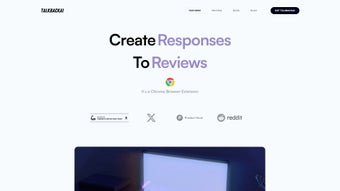

Download TalkbackAI – AI Chatbot, Quick Responses, Chrome Extension
Overview
TalkbackAI is a cutting‑edge, web‑based AI chatbot engineered to simplify online communication for businesses of every size. By leveraging advanced natural‑language‑processing models, the platform generates polished, context‑aware replies to customer reviews, comments, and messages with a single click. The true power of TalkbackAI shines when it is installed as a Chrome browser extension, placing an intuitive reply panel directly beside the pages you already use.
Whether you run a boutique e‑commerce store handling dozens of product reviews daily or a multinational brand juggling feedback across multiple marketplaces, TalkbackAI slashes the time spent on repetitive messaging, freeing you to concentrate on strategy and growth. Because it operates in the cloud, all updates are delivered automatically, ensuring the software remains secure, fast, and aligned with the latest AI advancements without any manual intervention. Seamless integrations with Google My Business, Amazon Seller Central, Yelp, and major social platforms make TalkbackAI a versatile ally for maintaining consistent, professional engagement across the digital landscape.
In addition, the solution respects privacy regulations such as GDPR and CCPA, encrypting all data in transit and storing only anonymized analytics. This combination of speed, accuracy, and compliance positions TalkbackAI as a must‑have tool for any business seeking to elevate its customer‑service efficiency while preserving brand voice.
Key Features, Pros & Cons
- One‑click AI‑generated responses for reviews, comments, and messages.
- Chrome extension for instant access while browsing any site.
- Customizable tone and style settings to match brand personality.
- Multi‑platform support – works on Google, Amazon, Yelp, and major social networks.
- Batch processing: handle dozens of reviews in seconds.
- Secure cloud storage of response history for compliance and auditing.
- Regular AI model updates that improve relevance and language accuracy.
- Analytics dashboard that tracks response speed, sentiment improvement, and engagement metrics.
- Integration with popular CRM tools via webhook or API.
- 24/7 customer support and a knowledge base for quick onboarding.
Pros
- Speed: Generates high‑quality replies in seconds, dramatically reducing response time.
- Ease of Use: Chrome extension provides instant access without leaving the review page.
- Customizable Tone: Aligns responses with brand voice, from formal to casual.
- Multi‑Platform Support: Works across e‑commerce, review sites, and social media.
- Secure & Compliant: GDPR and CCPA‑friendly data handling.
Cons
- Requires a Chrome browser; not natively available for Firefox or Safari.
- Subscription model may be a barrier for very small businesses on a tight budget.
- AI may occasionally suggest phrasing that needs minor human tweaking for highly sensitive issues.
- Batch posting is limited to platforms that support API integration; some sites still need manual copy‑paste.
Each feature has been engineered with practicality in mind. The one‑click response button pulls from a library of pre‑approved templates that can be edited on the fly, ensuring legal compliance while still sounding human. The Chrome extension not only adds a button overlay on review pages but also highlights keywords in the original comment, giving you visual cues about sentiment and key concerns.
Custom tone settings let you choose between formal, friendly, or witty styles, which the AI then applies consistently across all generated replies. Batch processing is a game‑changer for high‑volume sellers: you can select 20 reviews, click “Generate,” and receive a polished draft for each in under a minute. All interactions are encrypted, and the platform adheres to GDPR and CCPA standards, making it a safe choice for businesses handling sensitive customer data.
Installation, Usage Instructions, Compatibility & FAQ
Step‑by‑Step Installation
- Visit the official TalkbackAI website and click the Download Chrome Extension button.
- You’ll be redirected to the Chrome Web Store. Press Add to Chrome and confirm the permissions.
- After installation, a small TalkbackAI icon appears next to the address bar.
- Create an account using your business email, choose a subscription plan, and complete the secure checkout.
- Log in through the extension pop‑up; the AI model will sync automatically.
How to Use TalkbackAI Effectively
Once the extension is active, navigate to any page displaying customer reviews—product pages on Amazon, Google Business listings, or social‑media comment threads. The TalkbackAI icon turns blue, indicating readiness. Click it to open a side panel that lists the visible reviews. For each entry you can:
- Read highlighted sentiment cues (positive, neutral, negative).
- Adjust the tone slider to match your brand voice.
- Press Generate Reply to let the AI draft a response.
- Edit the draft if needed, then click Post to publish directly (where supported) or copy to clipboard for manual posting.
The platform also offers a “Batch Mode” where you select multiple reviews, set a common tone, and receive a spreadsheet‑style output ready for bulk upload. Team managers can assign roles, allowing supervisors to approve replies before they go live, which adds an extra layer of quality control.
System Compatibility
TalkbackAI is a web‑centric solution, meaning it works on any operating system that supports Google Chrome, including:
- Windows 10, 11
- macOS Catalina and later
- Linux distributions with Chrome support
- Chrome OS (Chromebooks)
Because the AI processing happens in the cloud, there’s no heavy local CPU load, ensuring smooth performance even on older machines. The extension also works on mobile Chrome (Android) for quick on‑the‑go replies, though the full dashboard experience is optimized for desktop browsers.
Frequently Asked Questions
Can TalkbackAI be used on multiple devices?
Yes. Because the service is cloud‑based, you can log into your account from any device that runs Chrome, including desktops, laptops, and Android phones. Your settings and response history sync automatically.
Is there a free trial available?
TalkbackAI offers a 7‑day free trial with full feature access. You can cancel anytime during the trial period without being charged.
How does TalkbackAI ensure data privacy?
All data transmission is encrypted using TLS 1.3, and the platform complies with GDPR and CCPA regulations. No raw review content is stored permanently; only anonymized analytics are kept for reporting.
Can I customize the AI’s language model?
While you cannot edit the underlying model, you can upload brand guidelines, preferred phrases, and prohibited language lists. The AI incorporates these constraints when generating replies.
What subscription plans does TalkbackAI offer?
TalkbackAI currently provides a Basic plan at $9.99 / month (up to 1,000 generated replies) and a Pro plan at $29.99 / month (unlimited replies, advanced analytics, and priority support).
Conclusion & Call to Action
In a digital marketplace where speed, personalization, and brand consistency are decisive, TalkbackAI emerges as a powerful ally for any business aiming to maintain a strong, responsive online presence. Its seamless Chrome integration, AI‑driven one‑click replies, and robust multi‑platform support eliminate the tedious back‑and‑forth that typically drains resources. While the subscription cost may be a consideration for very small operations, the productivity gains, reduced manual workload, and enhanced customer satisfaction often outweigh the expense. If you’re ready to accelerate your review management, present a polished voice across every touchpoint, and free your team to focus on higher‑value tasks, TalkbackAI is the solution to try. Click the download button below, start your free trial, and experience the future of AI‑assisted communication today.
TalkbackAI delivers a smooth, efficient experience for handling reviews across multiple platforms. The Chrome extension is intuitive, the AI generates relevant replies quickly, and the customization options keep brand messaging consistent. Minor drawbacks include the lack of a Firefox version and the subscription cost for larger teams, but overall it’s a valuable productivity booster for customer engagement.



.png)



